· Updated · Floris Van den Abeele · 5 min read
Customizing the gnome terminal emulator
Recently I switched from Xubuntu to Arch linux as my daily driver and I decided to give Gnome 3 a try over XFCE. While XFCE has served me well for many years, the development on XFCE is not as active as on Gnome 3 (unfortunately). For example, whereas Gnome 3 has been running on GTK3 for a while, XFCE is still in the process of being ported to GTK3. This means (among other things) that Gnome supports the Wayland display server protocol, whereas XFCE does not.
One of the things I’ve always liked about XFCE is the many customization options it presents to the user. This makes it a very flexible DE that can be customized to your needs. For example: as I spent a lot of time in the terminal I like the terminal output to take up as much screen estate as possible (where vertical screen estate is at a premium on a 1080p display). In case of the XFCE terminal emulator, you can choose to hide the window menu, the window borders, the window scroll bars and the window title bar. This saves screen estate which can be used to display ~two additional lines of code.
The gnome terminal emulator on the other hand only lets you hide the window menu and the window scroll bars. One grievance I have is that the default styling of the tab bar is too wasteful in vertical screen estate. This is mainly due to the tab bar text padding being too large and the presence of two additional buttons (as I rely on keyboard shortcuts primarily, I have no need for these buttons anyways).
My second grievance with the default gnome-terminal is the presence of the title bar when the terminal window is maximized. Installing gnome extensions such as pixel saver fail to resolve this issue (at least under Wayland, see also here). There has actually been some discussion about this on the bug tracker, with the consensus being to keep the title bar in order to clarify which terminal window has focus (see here). For me this clarification is not worth sacrificing the additional vertical space, though I can understand why the devs chose to keep the title bar as the default option.
Luckily, we can easily customize the gnome-terminal to our preference as it is open source software. The first step is to specify custom CSS styling rules to reduce the text padding in the title bar. For GTK3 apps this comes down to adding CSS style rules in ~/.config/gtk-3.0/gtk.css:
/* Decrease the tabs bar height in gnome-terminal
 * See: https://vdna.be/blog/index.php/2017/01/customizing-the-gnome-terminal-emulator/
 */
terminal-window notebook > header.top button {
  padding: 0 0 0 0;
  background-image: none;
  border: 0;
}
terminal-window notebook > header.top > tabs > tab {
  margin: 0 0 0 0;
  padding: 0 0 0 0;
}
terminal-window notebook > header.top > tabs > tab label {
  padding: 0 0 0 0;
  margin: 0 0 0 0;
}
In a second step (which admittedly is slightly more work), we can alter the gnome-terminal program source code to remove the two tab buttons as well as hide the title bar when the terminal window is maximized (thereby re-introducing the chance which was removed by the gnome devs above). Note that under Arch editing the program is straightforward as it comes with the Arch Build System – ABS (similar – but less powerful – functionality is available for Debian-based distros by using apt-get source).
The following two changes to terminal-window.c will respectively hide the title bar when the window is maximized and hide the two top right buttons. Note that the patch is written against v3.22.1 of gnome-terminal (i.e. commit 8c9d54b5eb354fc67adaee59a2b59903c3194708).
diff --git a/src/terminal-window.c b/src/terminal-window.c
index a290d9fd..efe5aa4a 100644
--- a/src/terminal-window.c
+++ b/src/terminal-window.c
@@ -2653,6 +2653,7 @@ terminal_window_init (TerminalWindow *window)
#endif

gtk_window_set_title (GTK_WINDOW (window), _("Terminal"));
+ gtk_window_set_hide_titlebar_when_maximized (GTK_WINDOW (window), TRUE);

priv->active_screen = NULL;

@@ -2789,7 +2790,7 @@ terminal_window_init (TerminalWindow *window)

terminal_window_update_size_to_menu (window);

- terminal_window_fill_notebook_action_box (window);
+ //terminal_window_fill_notebook_action_box (window);

/* We have to explicitly call this, since screen-changed is NOT
* emitted for the toplevel the first time!
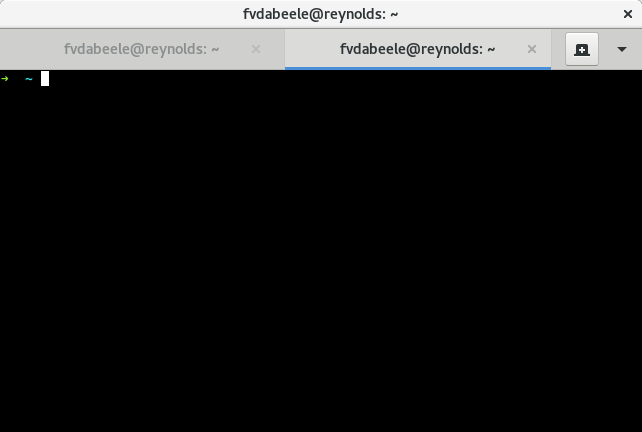
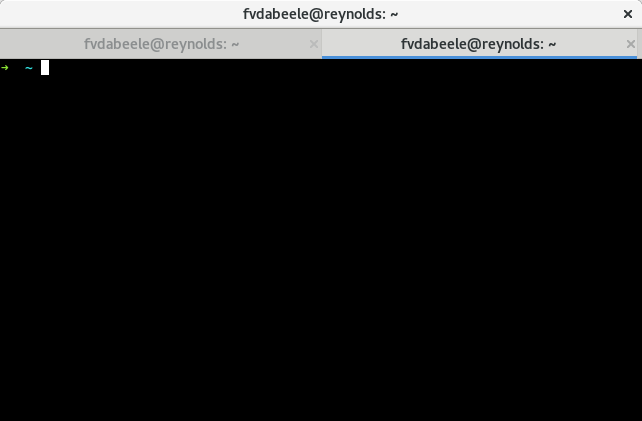
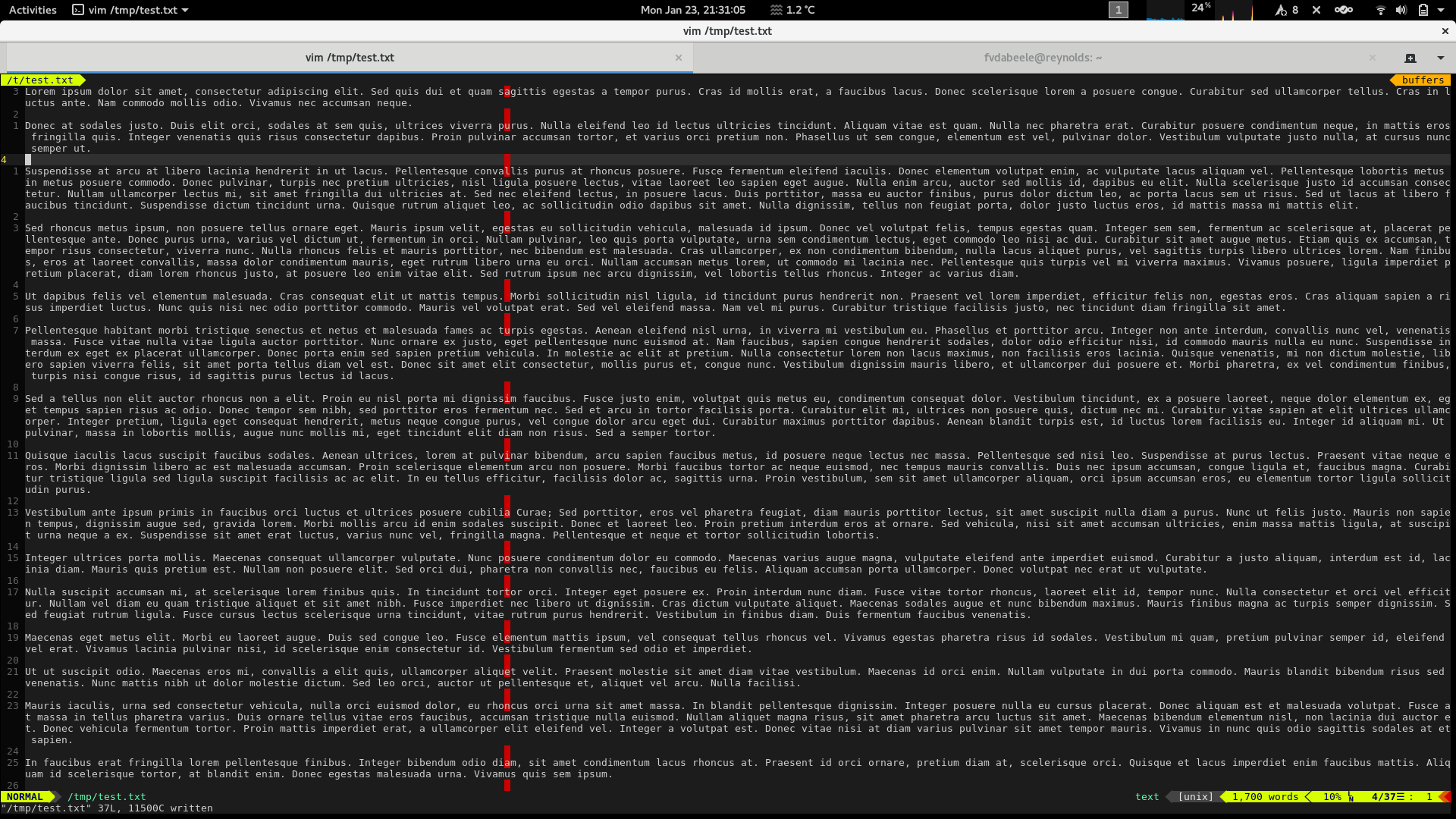
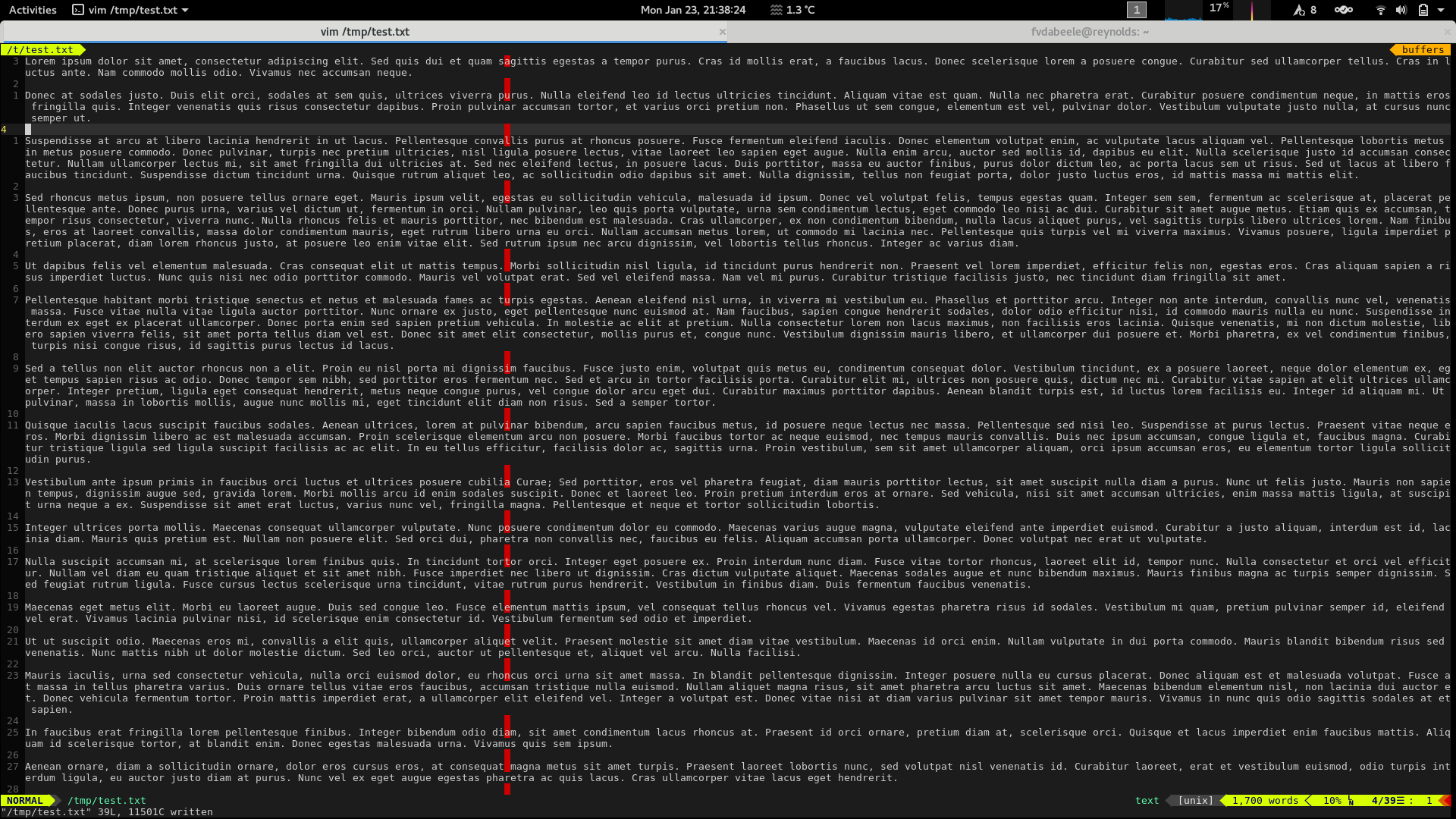
Below I’ve included screenshots of two windows before and after applying the changes from above. As this discussion boils down to personal preference, the screenshots let you decide whether you’d benefit from these changes. Note that more lines of text are displayed for the lorem ipsum document after patching gnome-terminal. Perhaps gnome-terminal could be updated to make these UI elements configurable via a checkbox in the Profile preferences or via a dconf setting. For now though, I’ll stick to changing two loc’s as per the patch above.
Fullscreen vim after the patch: note the title bar is hidden for maximized windows


